No description
- Go 83.2%
- JSON 16.8%
| Filename | Latest commit message | Latest commit date |
|---|---|---|
| .flox | ||
| .github/workflows | ||
| .gitignore | ||
| .goreleaser.yml | ||
| go.mod | ||
| go.sum | ||
| LICENSE | ||
| PULL_REQUEST_TEMPLATE.md | ||
| README.md | ||
| swagger.go | ||
| swagger_test.go | ||

echo-swagger
echo middleware to automatically generate RESTful API documentation with Swagger 2.0.
Usage
Start using it
- Add comments to your API source code, See Declarative Comments Format.
- Download Swag for Go by using:
$ go get -d git.deditoolbox.fr/mlcsthor/swag/cmd/swag

# 1.21 or newer
$ go install git.deditoolbox.fr/mlcsthor/swag/cmd/swag@latest
- Run the Swag in your Go project root folder which contains
main.gofile, Swag will parse comments and generate required files(docsfolder anddocs/doc.go).
$ swag init
- Download echo-swagger by using:
$ go get -u git.deditoolbox.fr/mlcsthor/echo-swagger
And import following in your code:
import "git.deditoolbox.fr/mlcsthor/echo-swagger" // echo-swagger middleware
Canonical example:
package main

import (
	"github.com/labstack/echo/v4"
	"git.deditoolbox.fr/mlcsthor/echo-swagger"

	_ "git.deditoolbox.fr/mlcsthor/echo-swagger/example/docs" // docs is generated by Swag CLI, you have to import it.
)

// @title Swagger Example API
// @version 1.0
// @description This is a sample server Petstore server.
// @termsOfService http://swagger.io/terms/

// @contact.name API Support
// @contact.url http://www.swagger.io/support
// @contact.email support@swagger.io

// @license.name Apache 2.0
// @license.url http://www.apache.org/licenses/LICENSE-2.0.html

// @host petstore.swagger.io
// @BasePath /v2
func main() {
	e := echo.New()

	e.GET("/swagger/*", echoSwagger.WrapHandlerV3)

	e.Logger.Fatal(e.Start(":1323"))
}
Example with theme:
package main

import (
	"github.com/labstack/echo/v4"
	"git.deditoolbox.fr/mlcsthor/echo-swagger"

	_ "git.deditoolbox.fr/mlcsthor/echo-swagger/example/docs" // docs is generated by Swag CLI, you have to import it.
)

// @title Swagger Example API
// @version 1.0
// @description This is a sample server Petstore server.
// @termsOfService http://swagger.io/terms/

// @contact.name API Support
// @contact.url http://www.swagger.io/support
// @contact.email support@swagger.io

// @license.name Apache 2.0
// @license.url http://www.apache.org/licenses/LICENSE-2.0.html

// @host petstore.swagger.io
// @BasePath /v2
func main() {
	e := echo.New()

	e.GET("/swagger/*", echoSwagger.EchoWrapHandlerV3(echoSwagger.ThemeName(echoSwagger.Scalar_Kepler)))

	e.Logger.Fatal(e.Start(":1323"))
}
- Run it, and browser to http://localhost:1323/swagger/index.html, you can see Swagger 3.0 Api documents.
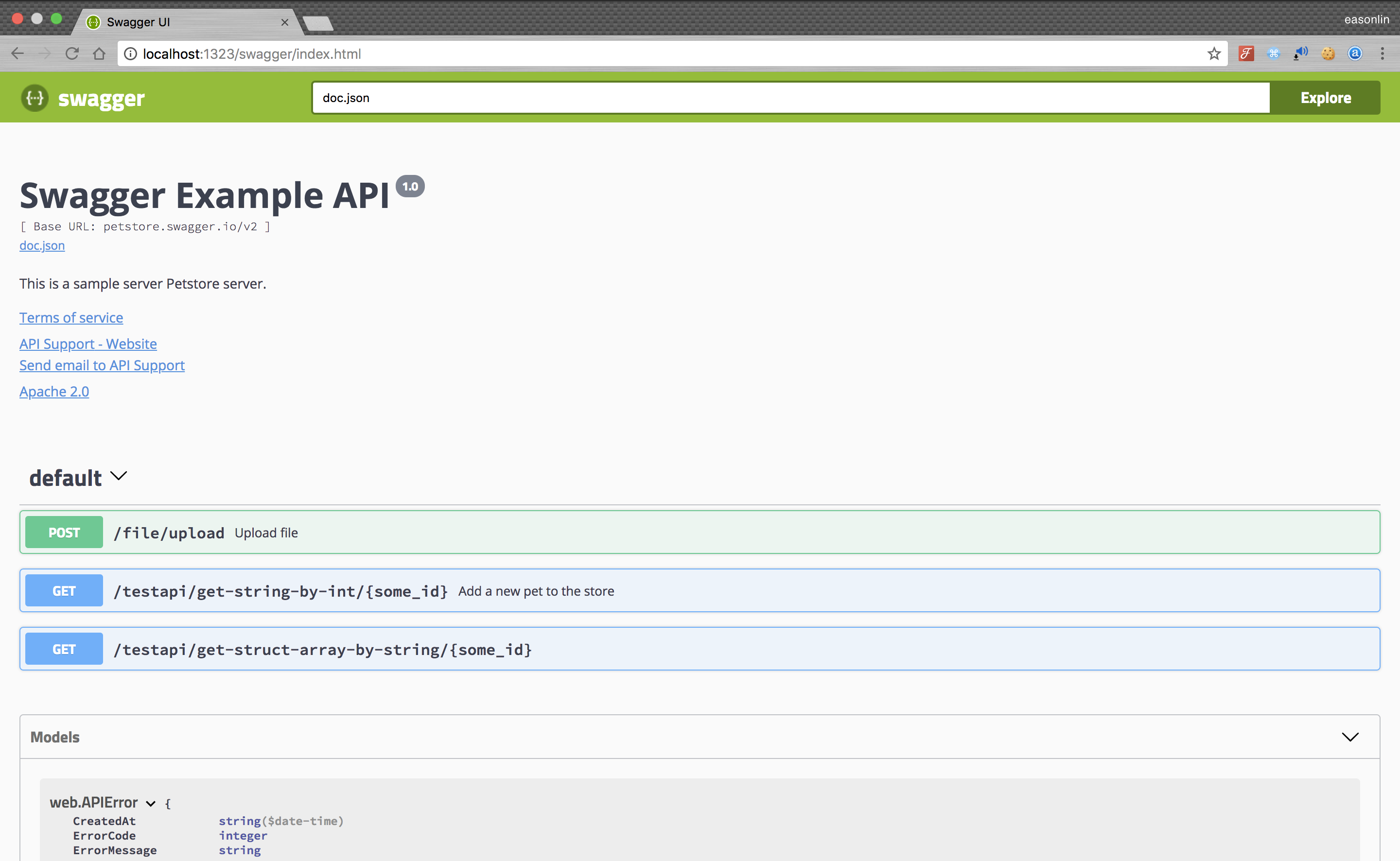
Note: If you are using Gzip middleware you should add the swagger endpoint to skipper
Example
e.Use(middleware.GzipWithConfig(middleware.GzipConfig{
		Skipper: func(c echo.Context) bool {
			if strings.Contains(c.Request().URL.Path, "swagger") {
				return true
			}
			return false
		},
	}))